1
Pick a model that fits
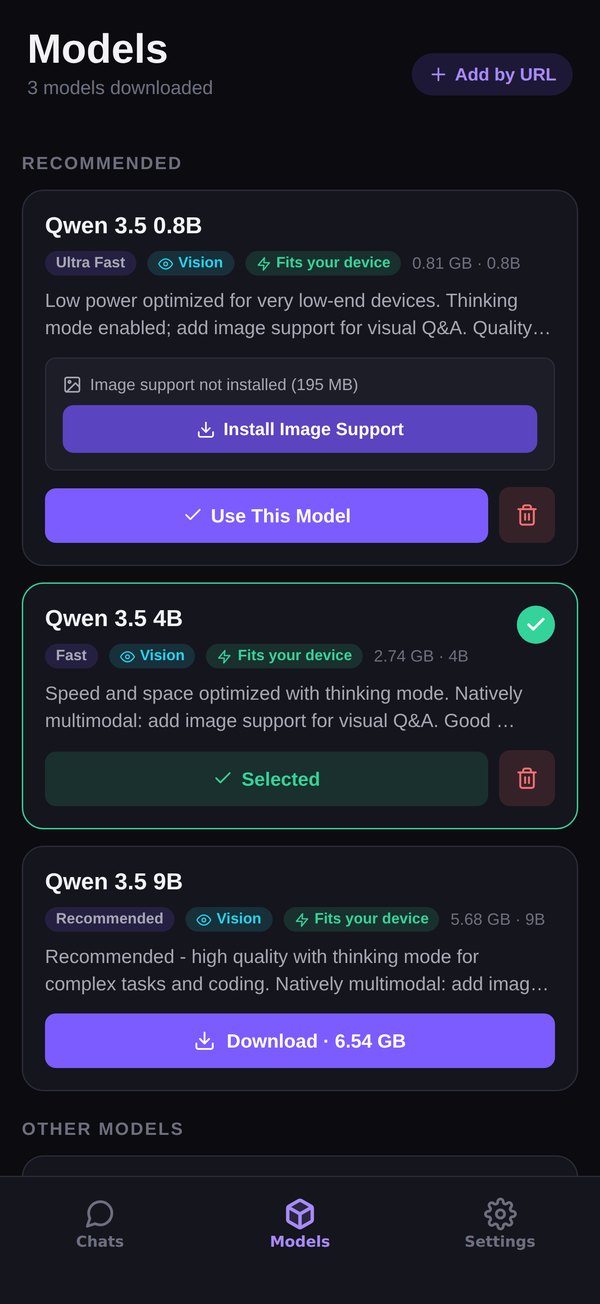
Seven open models from 0.8 to 9 billion parameters, each with a “Fits your device” badge read off your phone's RAM. Download once; pause and resume if the Wi-Fi drops.
 Private AI
Private AI runs open models — Qwen 3.5, Gemma 4, GLM, Ministral — on your phone's own chip. Download one once, then chat, ask about photos and watch it reason with no connection at all. No server runs the AI, so your conversations stay with you.


Cloud chatbots send every word to a data centre and hope you trust them. Private AI doesn't ask you to: the model is a file on your phone, the answer is computed by your phone, and nothing from your chats goes over the network unless you report an answer to us.
Computed here, stored here, deleted when you say. Uninstall and it's all gone: the app keeps its files out of iCloud and Google backups.
After the download, switch on airplane mode if you like. The app won't notice. Ads can't load without a connection — everything else carries on.
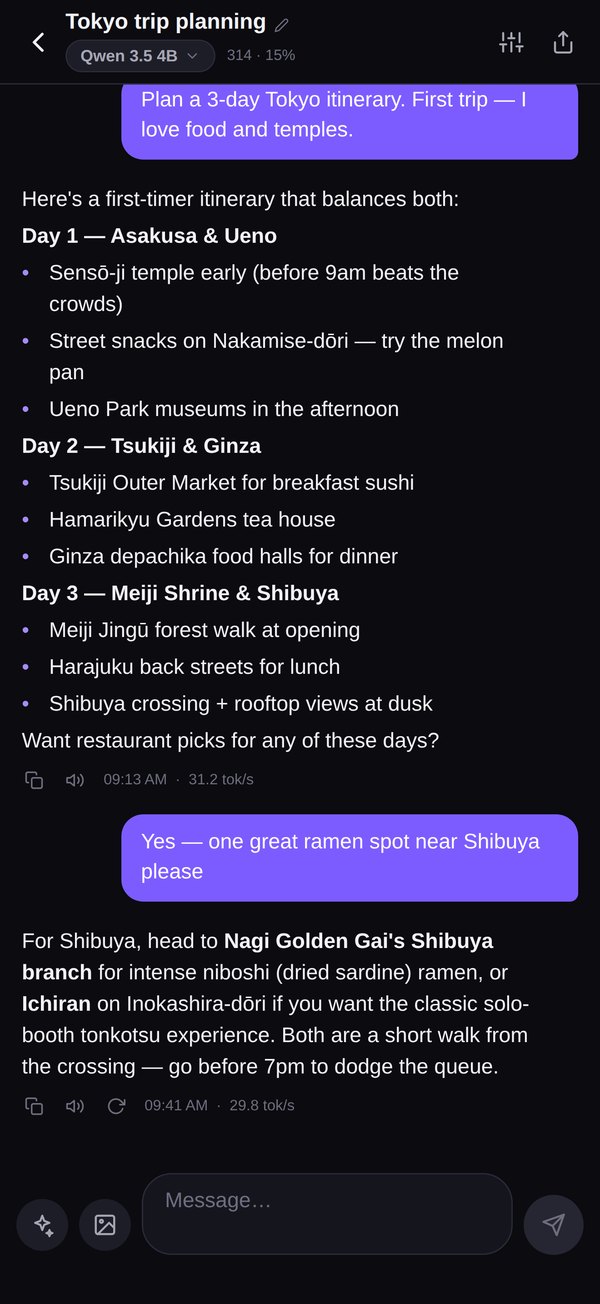
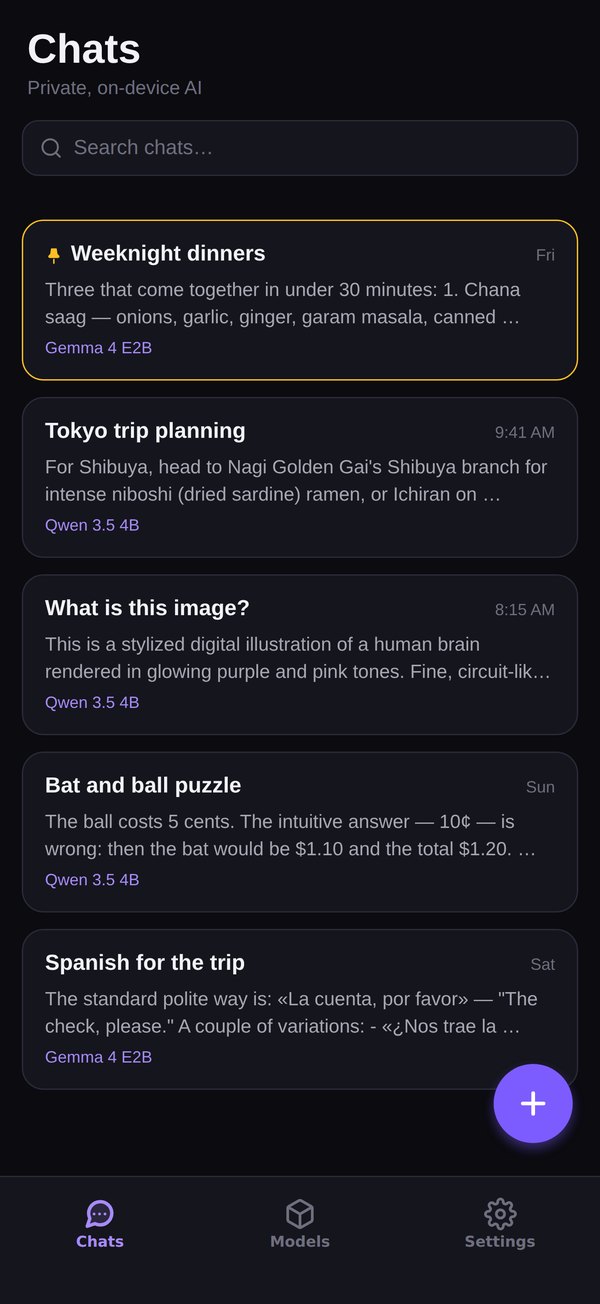
Three screens you'll actually see, in the order you'll see them.
Seven open models from 0.8 to 9 billion parameters, each with a “Fits your device” badge read off your phone's RAM. Download once; pause and resume if the Wi-Fi drops.
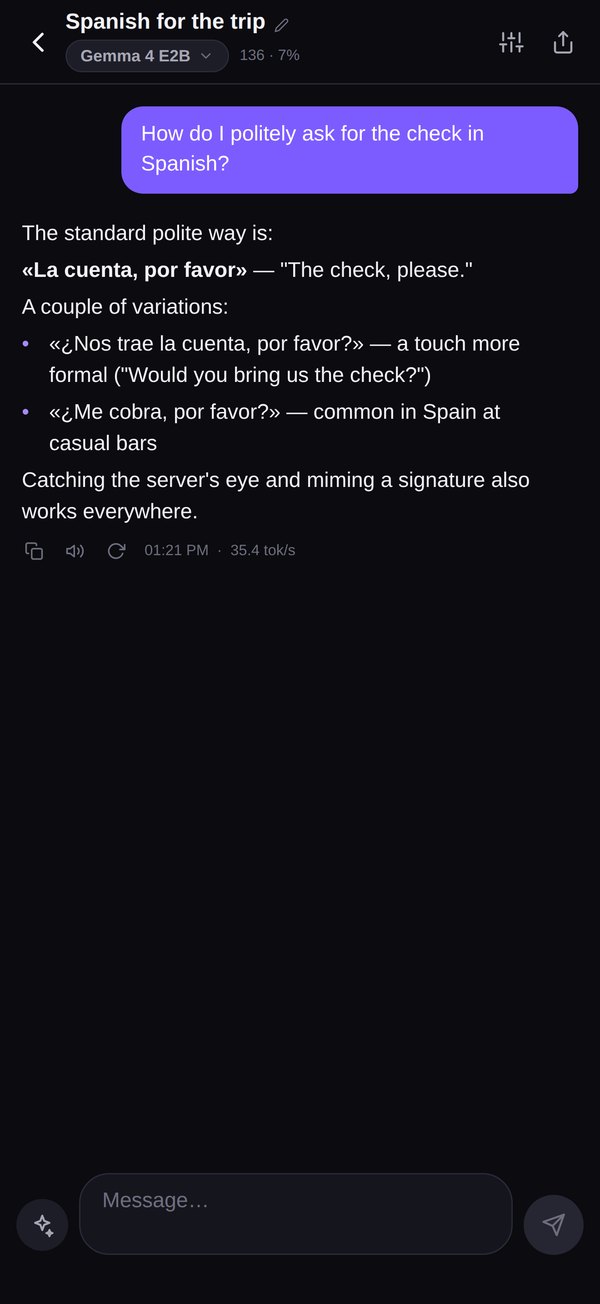
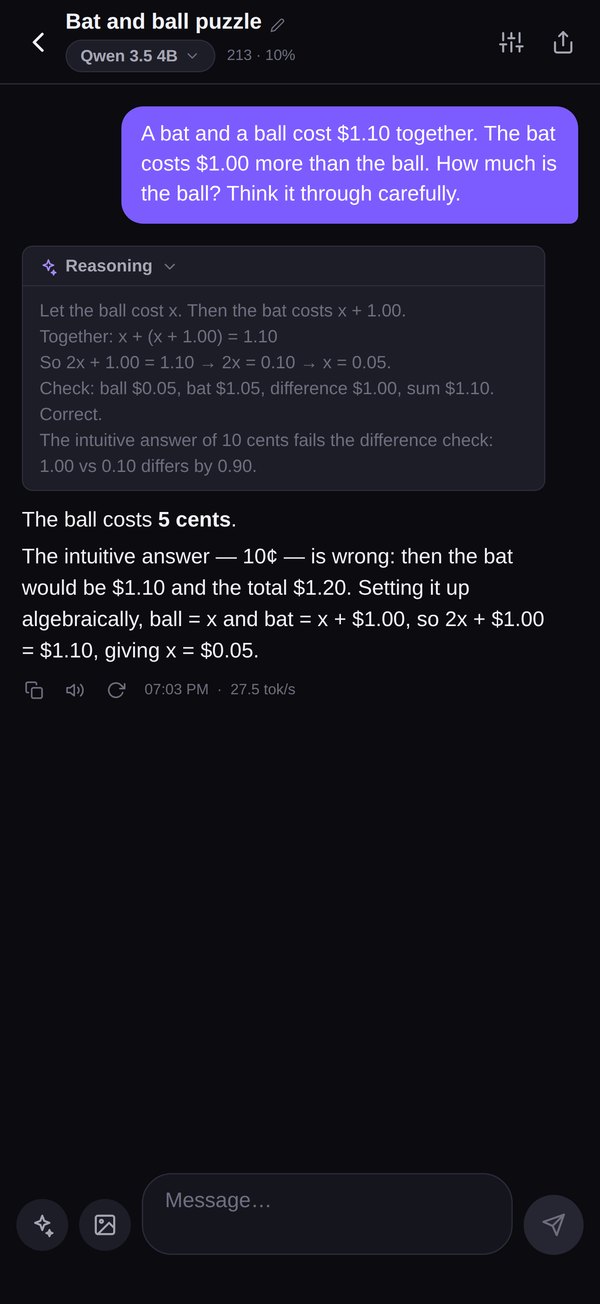
On a plane, in a basement, in a tunnel. Answers stream in with rendered Markdown and a live tokens-per-second readout, and nothing is waiting on a signal.
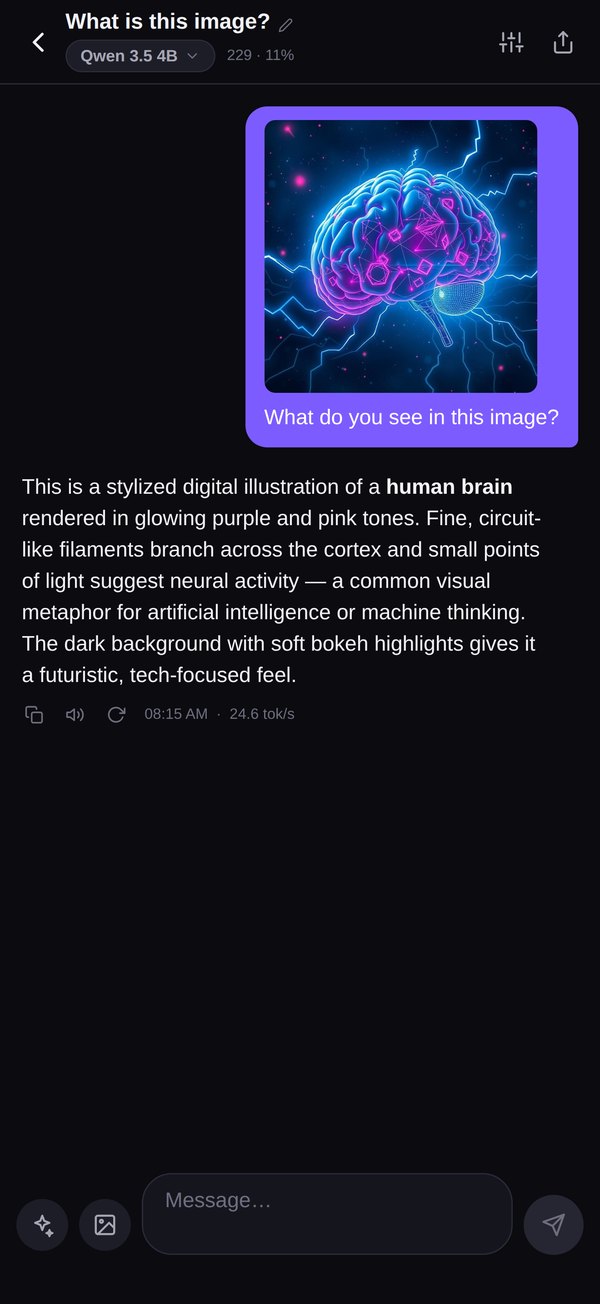
Every catalog model can take an image. Add the image-support file once (195 MB–1 GB) and point it at a menu, a form, a whiteboard, a sign in a language you don't read.
Quantized GGUF builds that run through llama.cpp — Metal on iPhone, OpenCL on Snapdragon Adreno, CPU everywhere else. Tell us your phone's RAM and we'll badge them exactly the way the app does.
For very low-end phones. Thinking mode on; quality is limited, speed is not.
Google DeepMind's phone-first model, quantization-aware trained. 140+ languages.
Mistral's compact model with a 256k context window — quick on documents and screenshots.
The sweet spot: speed, quality and thinking mode on an everyday phone. Our recommended first download.
The higher-quality Gemma, with hybrid thinking for harder questions.
The best answers in the catalog. Thinking mode for math, code and anything you'd like to check.
Zhipu AI's flagship-class vision model: visual Q&A, documents, UI screenshots.
Paste a link to any GGUF and it joins the catalog, with an optional vision projector for image input.
Same rule as the app: “Fits your device” means at least 2 GB of headroom over the model's minimum; “Should run” means it meets it. Image support is a separate 195 MB–1 GB download per model.
On reasoning models, switch on thinking mode and the step-by-step working shows up in a collapsible Reasoning panel above the answer — handy for math, code and anything worth checking. It's off by default, because most questions don't need it and it's faster that way.
Running a language model on a phone is the clever part. The rest of Private AI is the unglamorous part — the stuff that makes it the app you actually open.
Metal on iPhone, OpenCL on Snapdragon Adreno 700+, via llama.cpp. Falls back to CPU quietly when there isn't one.
Attach a PDF, text or Markdown file. The text is extracted and searched on the phone, the model answers from the matching passages and says which ones it used. Nothing is uploaded.
Tokens per second on every reply, a built-in benchmark for any downloaded model, context usage in the header, and a Fits-your-device badge before you download.
Code blocks with a copy button, tables and lists come out formatted. Copy any reply — or just the sentence you need — in one tap.
Start on the fast one, hand a hard question to the 9B from the chat header. Same conversation.
On-device text-to-speech for any answer — no voice service, no upload.
Every chat and setting as one JSON file, yours to keep. Restore from the file or the clipboard.
Pause, resume, cancel. Interrupted downloads pick up where they stopped, and storage is checked before they start.
Follows your system theme or pick one. Search every chat and every model, pin the ones you come back to.
Yes. Every model and every chat feature is free — the models are free open weights. It's supported by ads: a small banner in chat and an occasional full-screen ad between chats or while a model downloads, never in the middle of an answer. Offline, none load. Private AI Pro, a subscription or a one-time purchase, removes the ads and adds your own assistants and accent themes.
Not on their own: inference runs on the phone's own chip, and your chats, the photos you attach and the models stay on the phone. Three things use the network: downloading a model file (once, straight from Hugging Face), ads, and checking Pro purchases with the App Store or Google Play (through RevenueCat). The one time anything from a chat leaves the phone is when you report an answer to us: that answer and your note, nothing else. Uninstall the app and your chats, photos and models are gone: the app keeps its files out of iCloud and Google backups. The store keeps the receipt for a Pro purchase so you can restore it.
iOS 16.4 or later, or Android 7 or later. Small models run on phones with 4 GB of RAM (the 0.8B on 2 GB); the 9B models want 8 GB or more. GPU acceleration uses Metal on iPhone and OpenCL on Snapdragon 8-series phones, with a CPU fallback everywhere else. Every model card shows a “Fits your device” badge read off your actual RAM before you download.
From 812 MB (Qwen 3.5 0.8B) to 6.17 GB (GLM 4.6V Flash), plus 205 MB–992 MB if you add image support to a model. Downloads can be paused and resumed, and the app checks free space before it starts.
That depends on the phone and the model — a 4B model on a recent phone streams at reading pace; a 9B is slower and smarter. Every reply shows a live tokens-per-second readout so you can compare models on your own hardware, and you can switch models mid-conversation from the chat header.
Yes. Add any GGUF by URL — Hugging Face links work — with an optional vision projector for image input. Temperature, top-p, top-k, context size, max tokens, thinking mode and per-chat system prompts are all adjustable, or use the Creative, Balanced, Precise and Thinking presets.
Ads come from Google AdMob. On iOS the app never asks for tracking permission: ads are non-personalized and the advertising identifier is never read. AdMob may collect device information to serve ads — that's spelled out in the privacy policy. Pro subscribers get no ads, and the ad SDK is not started for them. The app itself has no account, no cloud sync and no analytics on your conversations.
Free. No account. Works on a plane.